E-Descent (Easy Descent)
What is E-Descent (Easy Descent)?
Easy Descent makes descending ramps and stairs more natural. Stair descent can now be done with a whole foot on the stairs (from the second step onwards).
Features of Extra Software pack such as E-Gait, E-Stairs, and E-Descent toggled OFF by default, to toggle them on, follow the steps listed here: How to Toggle Options ON/OFF?
Features of Extra Software Pack are available on Intuy Knee RISE and Intuy Knee PRO devices.
Learn more about software packs available per product here.
How to Initiate Stair Descent with E-Descent?
To initiate a step with the prosthetic foot there are three sequences in action.
- To trigger descent mode using E-Descent, place half of the foot on the edge of the step.
- For the remaining steps, you no longer need to put half a foot at the edge of the step. The whole foot can be on the step. The knee will actively and safely flex right after the foot touches the step.
Note: For safety reasons, it is always recommended holding onto handrails when descending/ascending stairs/ramps
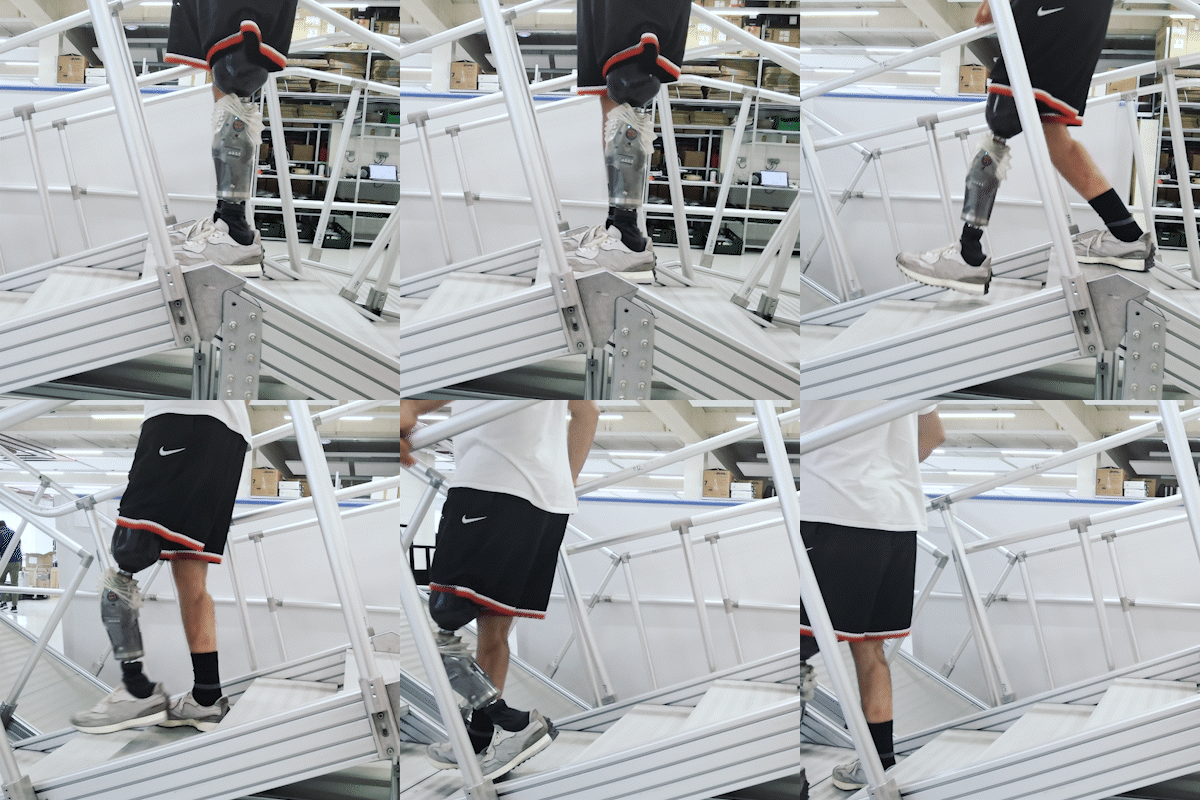
E-Descent ON
After initiating stair descent (first step) by putting half of the foot on the step, the user can proceed to place the whole foot on a step.
E-Descent OFF
When the feature is switched off, putting a whole foot on the step will cause the leg to lock up. The user must put half of the foot on the step to ensure a safe descent. This is how a Standard Intuy Knee software works, as explained in this video.
There are no comments for now.
to be the first to leave a comment.