E-Stairs (Easy Stairs)
What is E-Stairs (Easy Stairs)?
E-Stairs, or Easy Stairs, is a function that allows a user to trigger stair ascent by placing the prosthetic foot on the stair first.
Features of Extra Software pack such as E-Gait, E-Stairs, and E-Descent toggled OFF by default, to toggle them on, follow the steps listed here: How to Toggle Options ON/OFF?
Extra Software pack is available on Intuy Knee RISE and Intuy Knee PRO devices.
Learn more about software packs available per product here.
How to Initiate Stairs with E-Stairs?
To initiate a step with the prosthetic foot there are three sequences in action.
- To trigger stairs mode using E-Stairs, stand 15-20 cm in front of the first stair.
- Lift the prosthetic foot forward and up. The user should notice that the knee bends itself, creating clearance for getting on to the first stair.
- Then the user can place the foot on the first stair and continue stair ascent as indicated in this this training video.
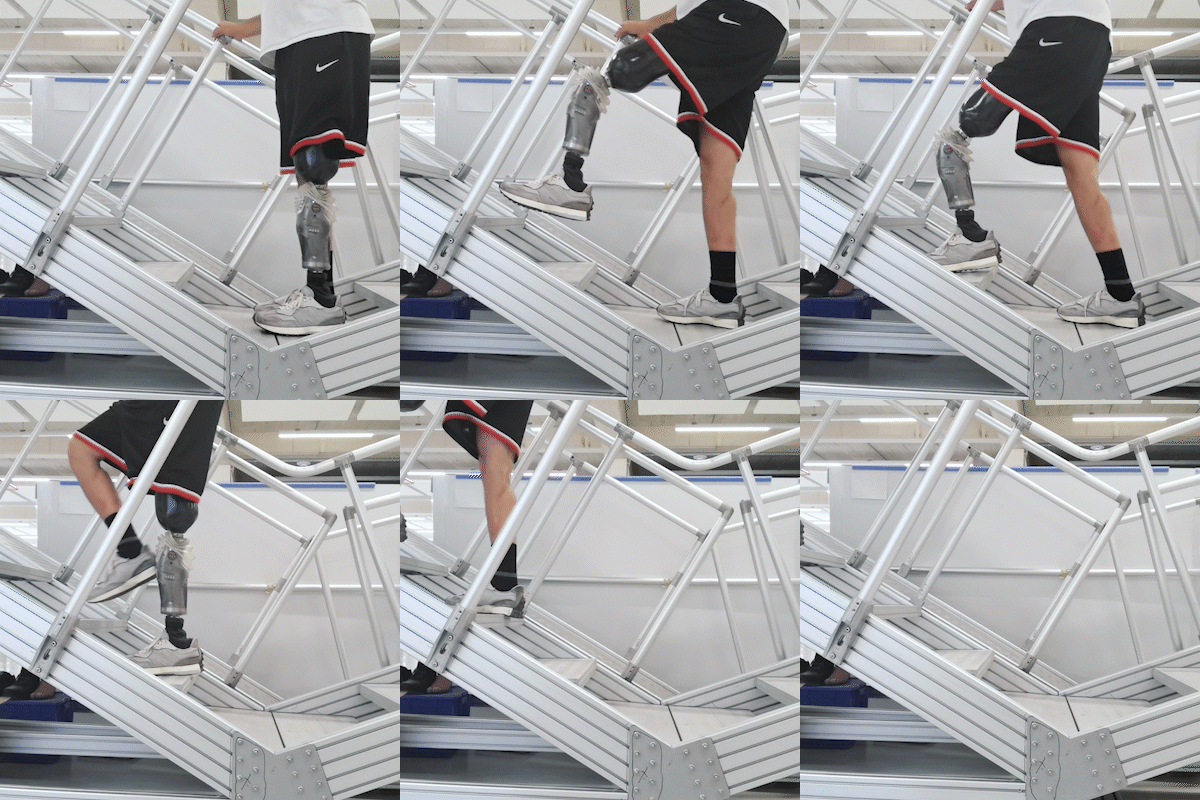
E-Stairs ON
Intuy Knee instantly responds to stair initiation and provides active support while walking up stairs.
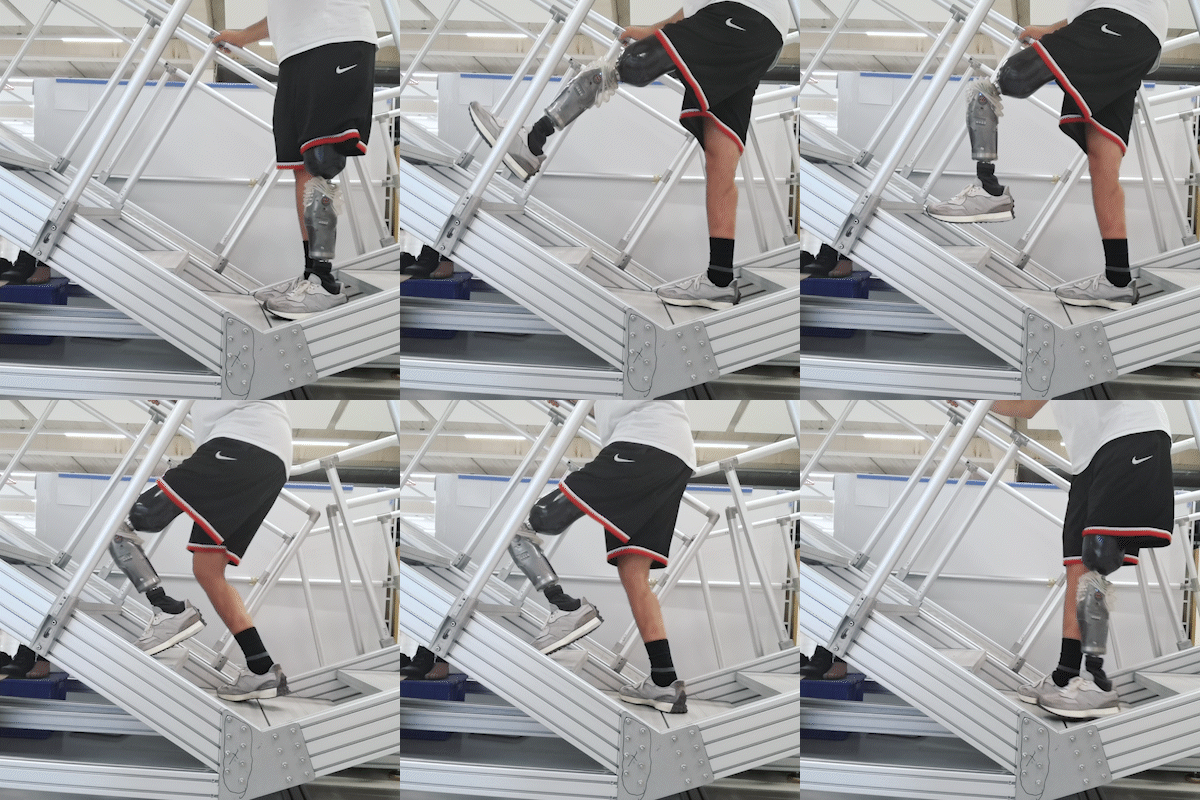
E-Stairs OFF
Intuy Knee bends with a delay. After the foot is placed on the step, Intuy Knee does not give active support to go up stairs.
There are no comments for now.
to be the first to leave a comment.